![BCS_Logo_Horizontal_Reverse_CMYK - Copy-1.png]](https://help.getbcs.com/hs-fs/hubfs/BCS_Logo_Horizontal_Reverse_CMYK%20-%20Copy-1.png?height=40&name=BCS_Logo_Horizontal_Reverse_CMYK%20-%20Copy-1.png)
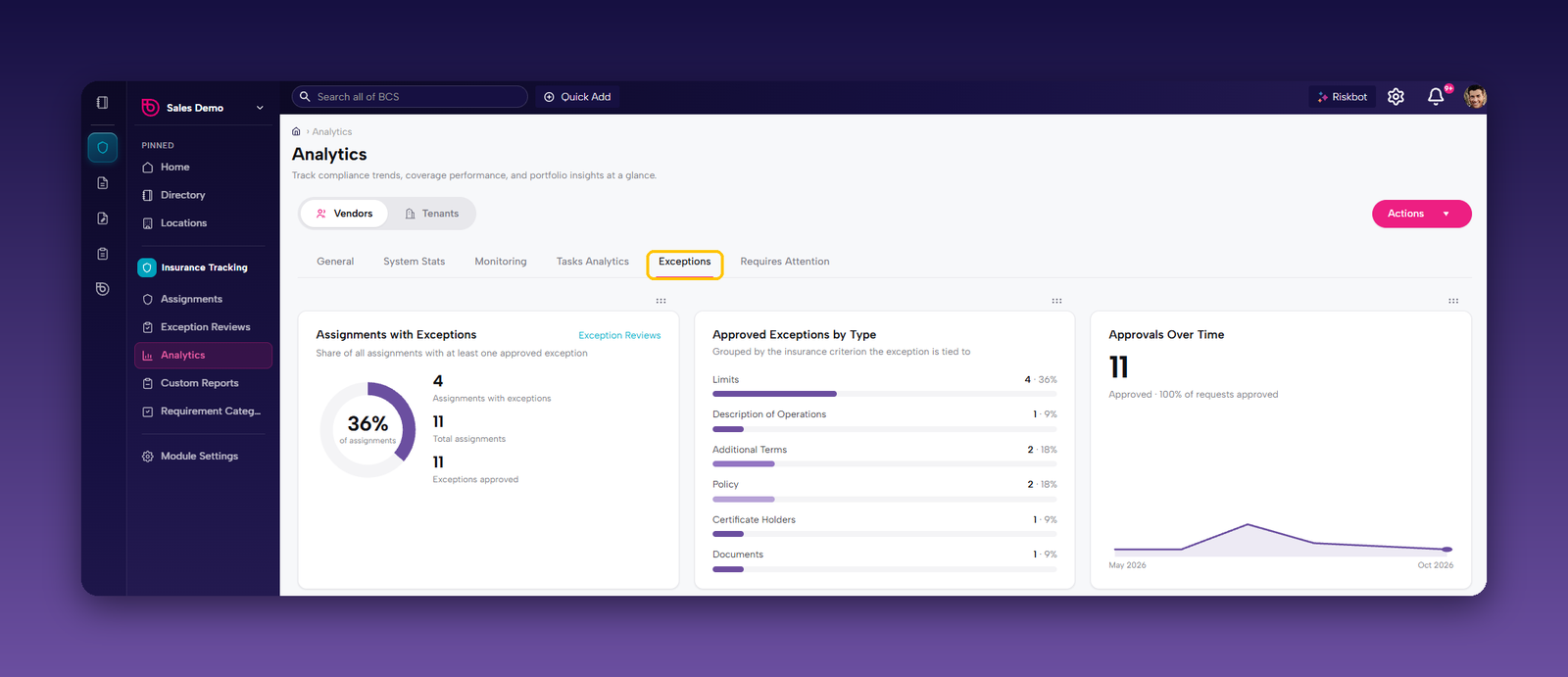
Approved exceptions now have a home in Analytics. 📊 A new Exceptions tab shows how often your team accepts compliance deficiencies, which requirements they're tied to, and how approvals trend over time, so nothing granted as a one-off quietly becomes the norm.
Here's what you can do
- 🍩 See your exception footprint at a glance: Assignments with Exceptions shows the share of all assignments carrying at least one approved exception, alongside total assignments and exceptions approved.
- 📋 Spot which requirements get waived most: Approved Exceptions by Type groups approvals by the insurance criterion they're tied to: Limits, Description of Operations, Additional Terms, Policy, Certificate Holders and Documents.
- 📈 Track approvals over time: Approvals Over Time charts approved exceptions month by month, with the approval rate for all requests.
- 🎯 Drill in by policy: Approved Exceptions by Policy color-codes approvals by policy, filterable by Requirement Category.
- ➡️ Jump straight to the details: the Exception Reviews link on the first card takes you to the individual exceptions behind the numbers.
- 🔀 Switch between Vendors and Tenants with the toggle at the top of Analytics.
To find it, go to Insurance Tracking → Analytics and open the Exceptions tab.
Want a refresher on how exceptions are requested and approved? Read the help article: Exception Requests for Compliance Deficiencies. For the rest of the Analytics page, see Analytics & Recurring Report Emails.