![BCS_Logo_Horizontal_Reverse_CMYK - Copy-1.png]](https://help.getbcs.com/hs-fs/hubfs/BCS_Logo_Horizontal_Reverse_CMYK%20-%20Copy-1.png?height=40&name=BCS_Logo_Horizontal_Reverse_CMYK%20-%20Copy-1.png)
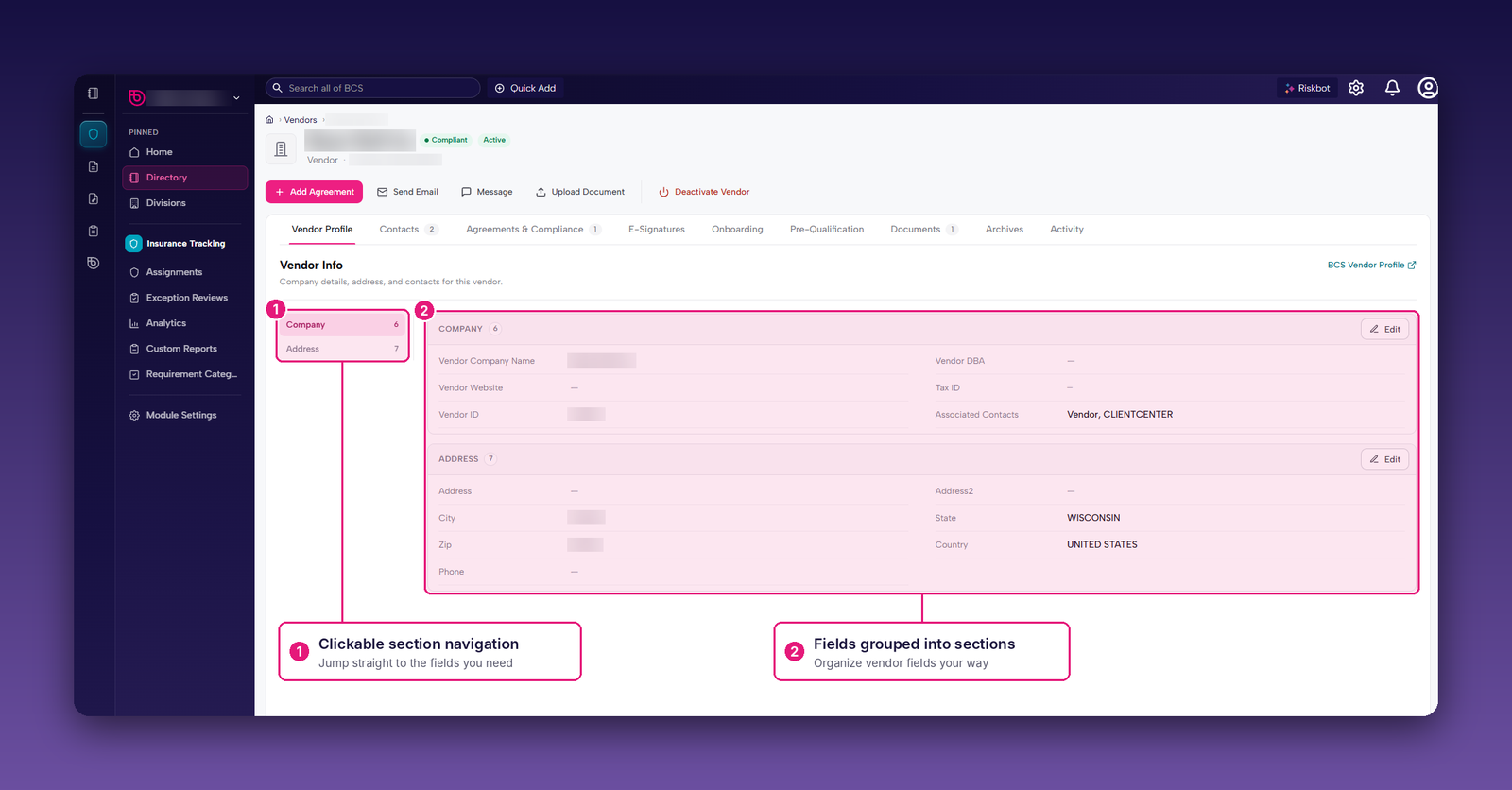
We've reorganized the Vendor Profile page so it's faster to scan and easier to navigate. Vendor fields now live in sections — and you can create your own sections and group fields inside them. 🗂️
Here's what you can do
- 🧩 Create sections — set up sections that match how your team thinks about vendor data.
- 📦 Group fields together — keep related fields side by side (e.g., Company details, Address) instead of one long list.
- 🧭 Jump straight to a section — click any section in the left-hand navigation to go right to the fields you need. Each section shows its field count at a glance.
- ✏️ Edit section by section — each section has its own Edit button, so updates stay focused.
Find it on any vendor: Directory → Vendors → open a vendor → Vendor Profile.
Questions or want help setting up your sections? Email customersupport@getbcs.com. 👋